
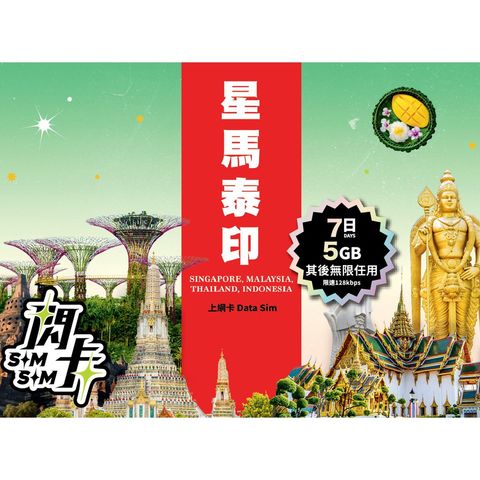
Sim Sim Singapore + Malaysia + Thailand + Indonesia 7-day 5GB Data SIM Card | Plug and Play 1 Piece
HK$ 79.0
Product information
Origin: Hong Kong
Basic product information
- Usage duration: 7 days, counting each 24 hours from activation.
- Coverage area: Singapore, Malaysia, Thailand, Indonesia
- Call / SMS functionality: Pure data SIM card, does not include voice calls or SMS texts.
- Expiration date: December 31, 2026
Must be activated before this date; if not activated, it will automatically expire, and no refunds or extensions will be accepted.
Southeast Asia offers pleasant weather and great value all year round - perfect for a relaxing getaway anytime
Whether you want to experience Singapore’s modern city vibes, Malaysia’s rich cultural diversity, Thailand’s vibrant food scene, Indonesia’s breathtaking nature - or all of them in one trip!
[Sim Sim] has you covered with data plans for Singapore, Malaysia, Thailand, and Indonesia. Choose from three flexible plans, enjoy plug-and-play convenience upon arrival, and you’re ready to go right after purchase!
High-speed internet
Supports local 5G / 4G networks (requires a 5G compatible phone) , allowing you to stream videos, check in, and navigate without issues!
Plug and play, no registration required
No forms to fill out, no account setup needed - just insert the SIM - activate data roaming - and you’re online!
Data and service period
The service will stop at the end of the service period or when the data quota is exhausted.
Important notes before use
- Tethering
Supports sharing data with other devices (like iPads, laptops, friends' phones) .
- Phone requirements
Must use a smartphone that supports 4G / 5G.
If the phone does not support 5G, the system will automatically connect via 4G LTE.
Ensure your phone is not SIM locked and supports local frequencies.
Activation instructions:
(1) Insert the SIM card and enable "Data roaming"
Go to phone settings - Mobile networks / Cellular data - Enable "Data roaming"
(2) Set network mode
Navigate to: Settings - Mobile networks / Cellular data - Network mode.
Select: 5G preferred or 4G / LTE mode. If there is a "VoLTE" option on the screen, please ensure it is enabled.
(3) Check APN settings (if unable to connect to the internet)
Name: 3gnet
APN: 3gnet
Keep other fields as default.
(4) After completing the settings, please restart your phone.
Power off and then power on again. You should automatically connect to the internet within a few seconds after turning on
Popular products
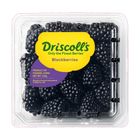
China Driscoll's Blackberry (1 Pack approx. 125g)
HK$ 24.0HK$ 28.0Save HK$4.0
China Driscoll's Raspberry (1 Pack approx. 125g)
HK$ 24.0HK$ 28.0Save HK$4.0
CP - Meiji - Premium milk 946ml
HK$ 20.0HK$ 30.0Save HK$10.0
China Driscoll's Blueberries (1 pack approx. 125g)
HK$ 19.0HK$ 30.0Save HK$11.0
Brightfarms Mini Cucumber (1 Pack) Approx. 380g
HK$ 16.0HK$ 20.0Save HK$4.0
Freds Shin Kigen Tamago 10pcs
HK$ 29.0HK$ 35.0Save HK$6.0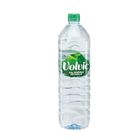
Volvic Natural Mineral Water 1500ml
HK$ 15.0HK$ 17.0Save HK$2.0
Coca-Cola - Coke Zero 330ml x 8 (The new and old packaging will be shipped out randomly)
HK$ 30.0HK$ 40.0Save HK$10.0
Evian Natural Mineral Water PET 1.5L
HK$ 18.0HK$ 19.0Save HK$1.0
New Zealand Zespri Jumbo Sun Gold Kiwi 1 pc
HK$ 15.0Save HK$6.0 with any 3