
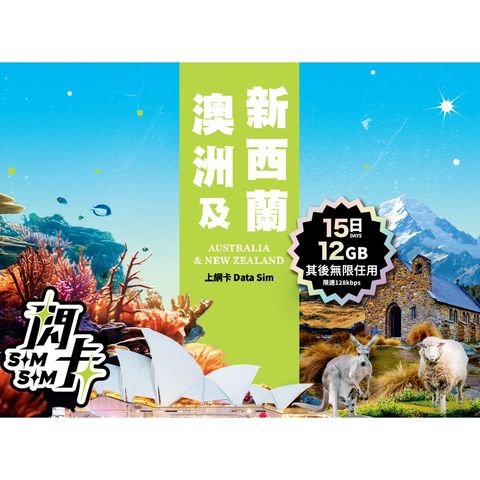
Sim Sim Australia + New Zealand 15-day 12GB Data SIM Card | Plug and Play 1 Piece
HK$ 99.0
Product information
Origin: Hong Kong
Basic product information
- Usage duration: 15 days, counting each 24 hours from activation.
- Coverage area: Australia, New Zealand
- Call / SMS functionality: Pure data SIM card, does not include voice calls or SMS texts.
- Expiration date: December 31, 2026
Must be activated before this date; if not activated, it will automatically expire, and no refunds or extensions will be accepted.
Thinking of heading to Australia to see koalas and kangaroos? Or visiting New Zealand, known as “the last pure land on Earth”?
[Sim Sim] Australia + New Zealand data plans have you covered for both destinations - super easy to use, just plug and play. The moment you land, you can start sharing stunning views, photos, and delicious food!
You can also choose from 10-day, 15-day, or 30-day plans - stay as long as you like and travel your way
High-speed internet
Supports local 5G / 4G networks (requires a 5G compatible phone) , allowing you to stream videos, check in, and navigate without issues!
Plug and play, no registration required
No forms to fill out, no account setup needed - just insert the SIM - activate data roaming - and you’re online!
Data and service period
The service will stop at the end of the service period or when the data quota is exhausted.
Important notes before use
- Tethering
Supports sharing data with other devices (like iPads, laptops, friends' phones) .
- Phone requirements
Must use a smartphone that supports 4G / 5G.
If the phone does not support 5G, the system will automatically connect via 4G LTE.
Ensure your phone is not SIM locked and supports local frequencies.
Activation instructions:
(1) Insert the SIM card and enable "Data roaming"
Go to phone settings - Mobile networks / Cellular data - Enable "Data roaming"
(2) Set network mode
Navigate to: Settings - Mobile networks / Cellular data - Network mode.
Select: 5G preferred or 4G / LTE mode. If there is a "VoLTE" option on the screen, please ensure it is enabled.
(3) Check APN settings (if unable to connect to the internet)
Name: 3gnet
APN: 3gnet
Keep other fields as default.
(4) After completing the settings, please restart your phone.
Power off and then power on again. You should automatically connect to the internet within a few seconds after turning on
Popular products
China Driscoll's Blackberry (1 Pack approx. 125g)
HK$ 24.0HK$ 28.0Save HK$4.0
China Driscoll's Raspberry (1 Pack approx. 125g)
HK$ 24.0HK$ 28.0Save HK$4.0
CP - Meiji - Premium milk 946ml
HK$ 20.0HK$ 30.0Save HK$10.0
China Driscoll's Blueberries (1 pack approx. 125g)
HK$ 19.0HK$ 30.0Save HK$11.0
Brightfarms Mini Cucumber (1 Pack) Approx. 380g
HK$ 16.0HK$ 20.0Save HK$4.0
Freds Shin Kigen Tamago 10pcs
HK$ 29.0HK$ 35.0Save HK$6.0
Volvic Natural Mineral Water 1500ml
HK$ 15.0HK$ 17.0Save HK$2.0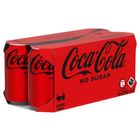
Coca-Cola - Coke Zero 330ml x 8 (The new and old packaging will be shipped out randomly)
HK$ 30.0HK$ 40.0Save HK$10.0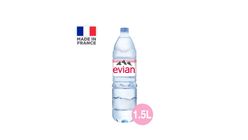
Evian Natural Mineral Water PET 1.5L
HK$ 18.0HK$ 19.0Save HK$1.0
New Zealand Zespri Jumbo Sun Gold Kiwi 1 pc
HK$ 15.0Save HK$6.0 with any 3